
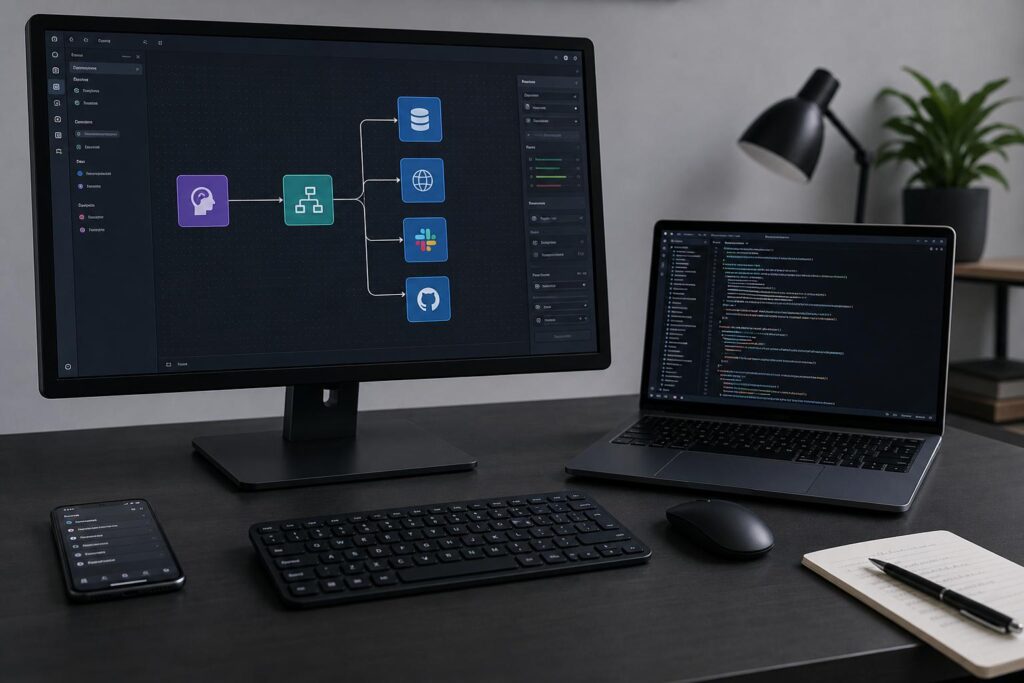
Out of the box, Claude is a strong conversational partner. But when you give it secure access to the places where your work actually lives—documents, tickets, databases, repos—it stops being a chat window and starts feeling like a teammate. That’s where connectors and the Model Context Protocol (MCP) come in: one gives you ready-made integrations, the other opens a door to custom tools and data on your terms. If you’ve wondered how to approach Подключение коннекторов и MCP в Claude (коннекторы Claude) without drowning in jargon, this guide walks the path with practical steps, trade-offs, and a few field notes from real use.
What connectors do, in plain language
Connectors are managed links between Claude and popular apps your team already uses. Think Google Drive, Slack, Notion, Jira, Confluence, GitHub, and similar systems where your knowledge lives. With a connector turned on, you can ask Claude to find, read, and reason over that content with appropriate permissions. The setup is typically OAuth-based, so you sign in, approve scopes, and you’re off to the races.
The idea is to reduce the friction between a question and the right piece of knowledge. Instead of copying snippets into the chat, you ask for what you need and let Claude search sanctioned sources directly. It’s a straightforward flavor of интеграции Claude that fits teams who want speed with guardrails, without building infrastructure of their own. You trade some flexibility for convenience, and for many use cases that trade is perfect.
A quick tour of MCP: the open door to custom tools
MCP—short for Model Context Protocol—is a lightweight standard that lets tools and data sources talk to AI clients like Claude. Instead of a fixed menu of apps, MCP makes it possible to connect a “server” that exposes capabilities: the server might fetch data, run functions, or surface resources, while Claude remains the “client” that requests those capabilities when the user asks. Put simply, it’s a bridge between the model and whatever work surface you define.
Two things make MCP interesting. First, it’s vendor-neutral by design: the protocol focuses on messages and capabilities rather than a specific cloud or product. Second, it’s explicit about consent. An MCP client, including Claude, shows you what the tool wants to do and asks you to approve. That consent pattern matters, especially in sensitive environments where even a harmless query can cross lines if it’s invisible.
When to pick connectors, when to pick MCP
Connectors are great for “turn it on and benefit” scenarios—search across docs, summarize threads, draft updates using trusted sources. They shine when the integration already exists and your needs map cleanly to it. MCP comes into play when you want something custom: a data warehouse query flow, specialized APIs, compliance systems, or a workflow that involves multiple steps and domain logic.
In practice, teams use both. A product manager or analyst might rely on Drive or Confluence connectors to surface reference material, while engineering or operations teams use MCP to reach internal systems. If you want Claude to safely execute narrow actions—say, create a ticket with a fixed template, or run a read-only query—MCP gives you a tailored path that still runs through clear user approval. That balance of precision and oversight is a hallmark of mature интеграции Claude.
Security and governance, without the buzzwords
With connectors, access typically mirrors what you already have in the source app. You log in, grant scopes such as read-only file access, and your admin can enforce organization-wide policies. This is familiar territory for IT teams: OAuth, audit logs, revocation, and least privilege are part of the playbook. Because the connector is provided and maintained by the platform, updates and fixes come through a standard channel.
With MCP, you control the server. It can run locally on your machine, in a container, or on a server within your network. That control is a feature: you choose exactly what the tool exposes, log requests at the boundary, and decide how credentials are managed. It does come with responsibility—versioning, monitoring, and change control—but the reward is precision and transparency. In well-run shops, MCP servers sit behind service accounts or proxy layers and keep secrets in a vault, while Claude only sees the capabilities, not the raw keys.
Step-by-step: подключение Google Drive к Claude, the right way
Drive is often the first connector teams try because it covers so much ground: strategy docs, specs, research notes, PDFs, presentations, even old screenshots buried in folders. A thoughtful setup maximizes value while keeping access clear and reversible. If your org has an admin, coordinate early to avoid permission whack-a-mole later.
Here’s a practical flow I’ve used on multiple teams for подключение Google Drive к Claude:
- Confirm that your plan supports the Drive connector and that your domain allows third-party access via OAuth.
- Sign into Claude with your work account and open the integrations or connectors area in settings.
- Select Google Drive, authenticate with your Google account, and review requested scopes—look for read-only wherever possible.
- Choose whether to allow access to “My Drive,” specific folders, or shared drives. Start narrowly to build trust, then expand.
- If prompted, decide how indexing should work (e.g., include Docs/Sheets/Slides, PDFs, and whether to process images or comments).
- Complete consent, then run a small test: ask Claude to find a recent document title or summarize a folder of 3–5 files.
- Document what was enabled and where to revoke access; share that in your team’s internal handbook for transparency.
This deliberate ramp-up avoids overwhelming Claude with an ocean of irrelevant material and gives you time to tune. When you want broader coverage, widen the folder set and reindex off-hours to reduce load. Keep an eye on shared drives; ownership and permission quirks there can cause “almost works” bugs that are hard to chase mid-project.
How to use Drive day-to-day once connected
Use natural language, but be specific about folders or doc titles where you can. “Find the Q2 retention analysis in Growth/Analytics and compare it to Q1” is better than “Compare retention.” Claude will use the connector to pull in the right context with permissions intact. Mixed-mode queries work well, too: “Summarize the user research doc and highlight quotes about onboarding friction.”
For living documents, ask for deltas: “What changed between the latest design spec and the version from two weeks ago?” For Sheets, request formulas or pivot setup instructions referencing tabs and ranges by name. Over time, you’ll build small habits—naming conventions, index docs, clean folder structures—that make интеграции Claude with Drive feel almost telepathic.
Setting up MCP в Claude: a practical blueprint
The journey to MCP в Claude starts with one decision: What capability do you want to expose? Keep it small. A read-only API to fetch customer health scores. A tool to pull sanitized error rates from your observability stack. A function that parses a proprietary file format so Claude doesn’t have to guess. Scoping narrowly reduces risk and makes it easy to iterate.
At a high level, you do three things. First, implement a small MCP server that declares one or more tools (each with parameters and descriptions) and optionally exposes resources. Second, run that server where Claude can reach it—often locally during development, then behind a secure endpoint if you deploy. Third, register the server in Claude’s MCP settings so the client knows how to talk to it and can present requests for your approval.
Designing your first MCP tool
A good first tool is self-contained and idempotent. For example, “get_incident_summary” that takes an incident ID and returns a structured JSON summary with severity, timeframe, top contributing services, and links to runbooks. You’d document valid ID formats, rate limits, and the maximum result size to keep responses snappy. Claude will handle the surrounding conversation; the tool just needs to be reliable and explicit.
Define parameters with clear types and constraints. Provide helpful error messages and resist the urge to auto-correct ambiguous inputs—let Claude and the user decide how to retry. When you return data, prefer well-labeled fields over free text. That structure makes it easier for the model to chain reasoning without getting derailed by formatting surprises.
Registering the server with Claude
Once your MCP server runs locally, point Claude to it. In the desktop app or client settings, look for the area dedicated to model context protocol or developer tools. Add your server using the recommended method—either by specifying a local command that launches it or by referencing a reachable endpoint if you’ve deployed it behind a transport the client supports.
Test the handshake. Claude should discover the server’s declared tools and show you their names and descriptions. When you request a tool invocation in chat, expect a clear consent prompt indicating which tool will run and with what parameters. If consent flows are noisy or unclear, fix naming and descriptions before you go further; polish there pays dividends in user trust.
Real-world patterns: getting more from both worlds
Teams rarely live entirely in connectors or entirely in MCP. One pattern I’ve seen work well is “connect for reference, MCP for action.” Use Drive, Confluence, or Slack connectors for discovery and context, then hand off to a custom MCP server that performs the safe, repeatable action you care about—like opening a ticket with validated fields or kicking off a CI job in a sandboxed environment.
Another strong pattern pairs Drive with a read-only analytics tool. Ask Claude to gather qualitative feedback from docs and presentations via the connector, then invoke an MCP tool that fetches a small, aggregated KPI slice from your warehouse. The two views together—story and signal—let you ship decisions faster and with fewer meetings. That’s mature интеграции Claude at work: knowledge flows safely, and actions are deliberate.
A careful look at trade-offs
To make a good call between connectors and MCP, focus on control, coverage, and change velocity. Control is about who decides what the AI can see and do, and how that is audited. Coverage speaks to how many systems you can reach with minimal friction. Change velocity is the pace at which you’ll need to extend or tighten behavior without waiting on a vendor release.
For a quick comparison, this table captures the gist without getting lost in edge cases:
| Criteria | Connectors | MCP |
|---|---|---|
| Setup effort | Low: enable, OAuth, configure scopes | Moderate: build or adopt a server, register it |
| Flexibility | Fixed to provided features | High: define custom tools and data |
| Security model | Vendor-maintained, policy-driven, OAuth | Owner-controlled, explicit consent, boundary logging |
| Maintenance | Low: managed updates | Ongoing: versioning, monitoring, support |
| Latency and scale | Predictable for supported apps | Depends on your server and backend |
| Best fit | Search and summarize trusted sources | Safe, specific actions and niche data |
My field notes: what actually worked (and what didn’t)
On one product team, we started with подключение Google Drive к Claude and resisted the urge to connect the whole domain. We picked a few high-signal folders: roadmap, active specs, quarterly reviews. Within a week, we had fewer “Where is that doc?” pings and faster standups because Claude could surface exact passages with citations. The win wasn’t flashy; it was dozens of small, silent saves.
We added MCP later, but only after describing the first tool in a one-page design: purpose, inputs, outputs, failure modes, and a sample transcript showing how Claude should ask to use it. That page saved us from building a Rube Goldberg gadget. The initial tool did one thing brilliantly, and that earned the trust to add a second and third capability. The pressure to go broad faded because going deep was so effective.
Testing and observability: don’t fly blind
Whether you rely on connectors or MCP, you need a feedback loop that catches surprises early. For connectors, that’s usually top queries, indexing status, and permission errors. Treat misfires like UX bugs: if Claude retrieves the wrong doc, fix naming, restructure folders, or narrow scopes. The fastest way to improve results is to curate what’s available, not to ask longer questions.
For MCP, add lightweight logs at the boundary: invocation time, parameters (without secrets), result size, and status. Watch for drift—growing payloads, rising latencies, or ambiguous parameter values. Write short scenario tests for your tools and run them in CI so a library update or schema tweak doesn’t break a Friday deploy. Reliable интеграции Claude feel boring in the best way; that usually means someone is watching the gauges.
Performance tuning without heroics
Index gradually with Drive and friends. Start with important folders and expand only when you’re consistently getting value. Reduce noise by excluding stale archives or binary dumps that confuse retrieval. If images and large PDFs bog things down, limit those formats to dedicated “reference only” paths you call out explicitly in prompts.
For MCP, cap result sizes and stream where it makes sense. Return structured JSON and let Claude ask for follow-ups rather than shipping the kitchen sink. Time out gracefully and document retry guidance in error messages. A crisp, predictable tool beats an impressive but moody one every time.
Governance for real teams
Write a short policy for how your organization will use интеграции Claude: what’s in bounds, what’s out, and where approvals live. Cover data classification and how to revoke access when someone changes roles. Even a one-page readme in your ops repo heads off confusion when people move fast.
For MCP, treat servers as internal services: version-tag releases, track breaking changes, and keep a changelog. Require code review for new tools that touch sensitive systems. Tie tool capabilities to service accounts with scoped permissions, and rotate credentials through your existing secret management. The work will look familiar to your platform or security team—which is exactly the point.
Common troubleshooting threads
If Claude can’t find a Drive file you know exists, check three things: user access to the file or folder, whether the shared drive is included, and indexing status. Renamed or moved files can lag briefly; ask for a refresh if your connector supports it. For sensitive folders, sometimes “read but don’t index” is the right call; then be explicit in prompts when you want Claude to open a specific file.
With MCP, handshake failures usually come down to a mismatch in declared capabilities or transport issues. Make sure your server announces tools with unique names and valid parameter schemas. Keep responses small while you test, and print clear logs on both sides. If Claude’s consent prompts read like riddles, clarify your tool descriptions—humans approve the action, so write for them.
A high-leverage Drive workflow you can copy
After подключение Google Drive к Claude, create a “Start here” doc in each key project folder. Include a short list of canonical files: latest spec, decisions log, OKRs, and a glossary of product terms. When someone asks Claude about the project, it will prioritize those anchors and save the detour into outdated drafts. We saw this simple pattern clean up a year’s worth of messy handoffs in under a month.
Layer on a standing request in your team ritual: once a week, ask Claude to list docs with unresolved comments older than 14 days in the main project folders. Closing old loops is a quiet productivity multiplier, and Claude is relentless about it. That’s the power of thoughtful интеграции Claude: no new meetings, just better hygiene.
Expanding MCP safely: a three-tool sequence
When you’re ready to grow MCP в Claude beyond the first capability, add tools in a sequence that builds confidence. Tool one: read-only query with a hardcoded, narrow dataset (e.g., weekly summary from a pre-aggregated table). Tool two: a mutation that creates something low risk but useful, such as a draft ticket or a staging-only deployment kickoff. Tool three: a review or approval tool that posts a preview and waits for sign-off before anything irreversible happens.
This cadence creates a rhythm the team can trust. People learn what a tool invocation looks like and what can go wrong before it can do damage. By the time you add serious power, the approval muscle is strong and the logs have already paid for themselves in a couple of postmortems.
A short checklist to keep nearby
- For connectors: start narrow, verify scopes, and test with fresh, high-signal folders.
- For MCP: define one crisp tool, document it, and log at the boundary.
- Name files and folders like you expect a machine to read them—because one will.
- Prefer structured responses from tools; let Claude handle the prose.
- Set clear revocation paths and write them down where people will find them.
These small habits compound. They make everyday questions faster to answer and tricky ones less risky to attempt. Your future self, sprinting toward a release, will thank you.
Edge cases and polite limits
Models can misinterpret vague prompts, even with perfect integrations. If you’re asking Claude to find something specific via the Drive connector and it’s not obvious, drop a hint—folder path, file type, or a unique phrase from the doc. Exactness helps more than verbosity. For large PDFs, ask for a targeted section by heading or page range rather than a full summary.
Similarly, MCP tools should decline gracefully outside their scope. A tool that only knows about incidents in one region should say so, not guess. Claude will adapt its follow-ups when the boundary is explicit. Clear limits are a feature, not a bug, in healthy интеграции Claude.
A briefly opinionated roadmap
If I were starting fresh today, I’d sequence the rollout like this. Week one: подключение Google Drive к Claude for two project folders and a pilot team. Week two: add one read-only MCP tool that returns a useful metric with a short JSON payload. Week three: expand Drive coverage by 20 percent and add a second MCP tool that drafts content in a controlled system (tickets, changelogs) without auto-submitting.
By the end of month one, you’ll have a balanced setup: connectors delivering fast context, MCP adding precise action. You’ll also have a process for changing things safely, which, in any organization bigger than a garage, is the real superpower. From there, iterate based on the questions your team actually asks and the actions they repeat most.
Notes on documentation and shared understanding
Write “explainers” in the same place your team keeps runbooks. One page for connectors: what’s connected, what’s indexed, who owns it, and how to revoke. One page for MCP: tool list, parameters, intended use, and sample chat snippets that demonstrate a happy path and a polite decline. New teammates will ramp faster, and security reviews will go smoother.
Keep a living FAQ for quirks, especially around shared drives or permission nesting. The time you spend on clarity compounds because it prevents ambiguous prompts, which are the root cause of most disappointing results. Good интеграции Claude are built as much with documentation as with code.
What success looks like in practice
When this is working, you’ll notice fewer context-gathering meetings and more focused reviews. People ask Claude for a summary and arrive with the same source material in hand. Decisions reference exact passages, not folklore. The connector work fades into the background because it just works.
On the MCP side, success feels like safe acceleration. Small, frequent tool invocations that save minutes add up across a team. Postmortems reference logs instead of memory. Most importantly, nobody is surprised by what the AI can do—capabilities are visible, named, and consented to in the flow of work. That’s the bar to aim for with MCP в Claude.
Final thoughts before you wire things up
You don’t need a massive program to get real value from Подключение коннекторов и MCP в Claude (коннекторы Claude). Start from the work you already do and remove friction with targeted, reversible steps. Let connectors handle the heavy lifting for discovery, and carve out one or two MCP tools where precision matters. Grow only when usage tells you it’s time.
The magic isn’t in wiring everything; it’s in wiring the right things. When интеграции Claude meet a few intentional habits—clean structure, explicit consent, modest scopes—you’ll feel the shift in how work gets done. The model stops guessing, your systems stay respected, and the team moves with a little more quiet confidence every day.
